
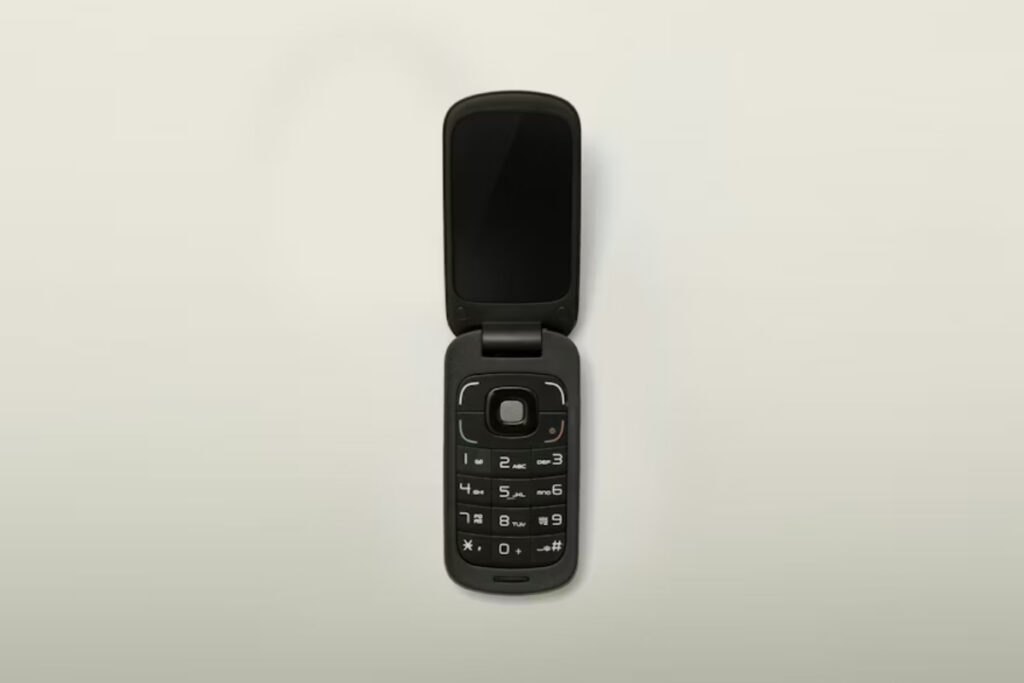
For seniors who want a simple, reliable mobile phone without the complexity of modern smartphones, the Iris Flip Phone has started gaining attention. Designed with large buttons, easy navigation, and essential calling features, it aims to make everyday communication more accessible for older adults.
But does it actually deliver good value and dependable performance? In this review, we’ll look at the Iris Phone’s features, usability, pros and cons, and whether it’s truly worth buying for seniors or caregivers seeking a straightforward device.
What Is the Iris Flip Phone?
The Iris Easy flip phone is a basic 4G flip phone built for users who prefer straightforward communication. Here are the key features of the Iris phone flip and the types of users it fits best.
Key Features of the Iris Flip Phone
The Iris Easy flip phone includes practical features that focus on comfort for calling, texting, and simple navigation, rather than advanced apps or entertainment tools.
- Large backlit buttons
- Simple navigation
- Emergency calling support
- Long battery life
- Compact flip design
Who the Iris Flip Phone Is Designed For
When people ask who makes the this flip phone, the answer usually connects to Consumer Cellular and its senior-focused phone lineup. The device may fit:
- Seniors
- First-time mobile users
- Users wanting simplicity
- People looking for fewer distractions
Is the Iris Flip Phone Actually a Good Fit for Seniors?
A senior-friendly phone needs to feel comfortable during everyday use. Setup, calling, texting, navigation, and screen visibility determine whether it truly fits older adults.
Setup and First-Time Use
The setup process is simple because the phone doesn’t include complex apps and crowded settings. Users can activate the device, adjust volume, and start calling within minutes.
Help people searching for how to turn on Iris Easy Flip phone quickly, and clear menu labels for seniors who are less familiar with touchscreen devices.
Many seniors may still need support during the first setup, but after that, the consistent layout makes daily use easier to follow.
Making Calls and Sending Texts
Calling is one of the strongest parts for seniors. Physical buttons make dialing direct, and the flip design feels familiar for answering calls.
Texting is suitable for short messages and reminders. Longer conversations may take more time due to keypad input.
Users searching for how to add contacts to Iris flip phone can usually save numbers directly through the Contacts menu without many extra steps.
Menu Navigation and Accessibility
The menu focuses on core functions like calls, messages, and contacts. The phone also supports hearing aid compatibility, improving call clarity for users who need it.
Screen Visibility and Button Size
Large buttons reduce dialing mistakes and support users with lower finger precision. The screen shows contacts and messages clearly for everyday communication, while the compact layout keeps navigation direct and easy to follow.
>>> Read more: Jitterbug Flip: Is It a Good Choice for Seniors?
Pros and Cons of the Iris Flip Phone for Seniors
The Iris phone offers practical benefits for basic communication, but it may feel limited for users who expect smartphone features.
What Seniors May Like
Seniors who mainly use their phone for calling and simple messaging may find the flip phone Iris easy to manage in daily use.
- Simple interface: fewer steps for basic phone tasks
- Easy calling: physical buttons make dialing and answering more direct
- Long battery life: reduces the need for frequent charging
- Lightweight design: easy to carry throughout the day
- Closed-flip selfie mode: Allows seniors to easily snap selfies or family photos with the phone closed
Potential Drawbacks
Some limitations become more noticeable for seniors who rely on apps or advanced smartphone features.
- Limited app support: not suitable for video calls, banking apps, or social media use
- Small external display: less convenient for quick notifications
- Fewer smart features: no strong support for navigation, photo sharing, or voice assistants

Real-Life User Experience After the First Week
Daily experience matters more than technical specifications for many seniors. The first week often shows whether the phone truly fits personal habits.
What Feels Easy Right Away
Many users adapt quickly to:
- Answering calls
- Charging the device
- Reading basic menus
- Carrying the lightweight phone
- Using physical buttons
The distraction-free experience also feels refreshing for users who want less screen time.
What Takes Time to Learn
Some users need additional time to adjust to:
- T9 style texting
- Contact organization
- Menu shortcuts
- Internet navigation
- Switching from touchscreen habits
This adjustment period feels normal for people moving from smartphones to flip phones.
Common Challenges Some Seniors Report
User reviews often mention:
- Slower typing speed
- Smaller screens than smartphones
- Limited app options
- Different texting habits
Most concerns connect to convenience rather than major usability problems. Users focused mainly on calling often adapt more comfortably than users expecting smartphone level flexibility.
Iris Flip Phone vs Other Phones for Seniors
Comparisons help users decide whether a flip phone or a smartphone better matches their daily communication needs.
Iris Flip Phone vs Smartphones
The Iris phone flip works best for users who mainly want calling and texting without constant app usage. iPhone and Android devices may suit seniors who prefer larger displays, photo sharing, maps, or video calls with family members.
| Feature | Iris Flip Phone | iPhone Models | Android Phones |
| Navigation | Physical keypad | Touchscreen iOS | Touchscreen Android |
| Calling Experience | Simple dialing | Smart calling features | Flexible calling |
| Texting Style | T9 keypad | Full keyboard | |
| Battery | Longer with light use | Daily charging | |
| App Access | Limited apps | Large App Store | Google Play access |
| Screen Size | Compact display | Larger screens | Various screen sizes |
| Video Calling | Very limited | FaceTime | Video apps |
| Learning Curve | Familiar for seniors | Easy visuals | More customization |
| Distractions | Fewer notifications | Higher app activity | |
Iris Flip Phone vs Other Senior-Friendly Flip Phones
Basic Android devices often work well for seniors who still want smartphone functions like messaging apps, maps, or video calling, while keeping the interface more manageable than flagship phones.
| Phone Type | Example Devices | Main Strength | Best For |
| Iris Flip Phone | Iris Easy Flip | Physical keypad + simple calling and texting | Seniors wanting basic communication without apps |
| Senior Flip Phones | Jitterbug Flip2, Consumer Cellular flip phones | Senior-focused features like emergency tools | Seniors needing safety features and support |
| Basic Android Devices | Motorola Moto G series, Nokia C series | Smartphone features with a simpler interface | Seniors want apps, larger screens, video calls, and an easier system |
>>> Read more: Jitterbug vs Tracfone: Which Senior-Friendly Phone in 2026?
FAQs About Iris Phone Flip
These common questions help clarify practical concerns before choosing the phone.
1. Is the Iris flip phone good for seniors who have never used smartphones?
Yes. It works well for first-time users and is still usable for ex-smartphone users, though they need a short adjustment to the keypad and simple menus.
2. Does the Iris flip phone have internet access?
Yes. The device supports basic internet access, although browsing feels more limited compared to smartphones.
3. Is texting difficult on the Iris flip phone?
Yes. Texting is slower than on smartphones because it uses a keypad input method. It works best for short messages, while long chats can feel less convenient.
4. Does the Iris flip phone support hearing aids?
Yes. The phone supports hearing aid compatibility for users who need additional audio support.
Conclusion
A simple communication option for calls and texts, the Iris flip phone suits seniors who prefer physical buttons and fewer distractions.
More senior-focused guides and comparisons are available through SeniorHope to help readers choose suitable devices.